Home > Download

MOI DVB-S2 Streaming Box


1. Source code for building custom kernel for TBS MOI, please check README file in tbs-moi-linux-kernel-patches.tar.bz2 for more details.
2. System upgrade file for MOI DVB-S2 Streaming Box is upgraded to V1.1, which has belowed upgrading:
> Change the time zone.
click "setTimeZone " button on the WUI under "MOI Setting" and change the tiem information - Moth/ Day/ Year/ Hour/Minute/ Second, and then click "getTimeZone" button to synchronize the time of MOI.
> Add SD/MMC and USB mount.
When you insert usb or mmc/sd ,it will be mount in the /mnt/usb dir or /mnt/usb dir.
> Add nfs Network Support.
3. Quick start guide for MOI DVB-S2 Streaming Box is udated to V1.1. It shows the basic hardware connection, software installation and configuration.
4. Manual for how to use HDTV to stream/watch Satellite TV programs from MOI is released.
5. TVheadend setting guide is updated to V1.1. It shows how to broadcast programs from MOI DVB-S2 Streaming Box.
6. TVHguide setting guide is updated to V1.1. It how to use TVHguide to configure MOI on Android phone.
7. XBMC configuration for MOI DVB-S2 Streaming Box is udated to V1.1. It shows how to set up the XBMC for receiving programs broadcasted from MOI DVB-S2 Streaming Box.
8. VLC Windows setting guide is released. It shows how to set up VLC under Windows system for receiving programs broadcasted from MOI DVB-S2 Streaming Box.

User Manual and Apps for MOI DVB-S2 Streaming Box (Click for downloading) +

  • TBS MOI DVB-S2 Streaming Box 2900 - Kernel Source Code
    Source code for building custom kernel for TBS MOI, please check README
    file in tbs-moi-linux-kernel-patches.tar.bz2 for more details.
  • TBS MOI DVB-S2 Streaming Box 2900 - Firmware_V1.1
    Files and instructions for MOI system upgrade.
  • TBS MOI DVB-S2 Streaming Box-Quick Start Guide _V1.0
    Introduction & quick start guide for MOI.
  • TBS MOI DVB-S2 Streaming Box-Android Mini TV stick_V1.1
    Manual for how to use HDTV to stream/watch Satellite TV programs from MOI.
  • TBS MOI DVB-S2 Streaming Box-Tvheandend_V1.1
    Manual for how to use Tvheadend to configure MOI on Windows PC.
  • How to configure Tvheadend for TBS MOI streaming box
    Youtube Video guide for Tvheadend configuration.
  • TBS MOI DVB-S2 Streaming Box-TVHguide_V1.1
    Manual for how to use TVHguide to configure MOI on Android phone.
  • TBS MOI DVB-S2 Streaming Box-XBMC_V1.1
    Manual for how to use XMBC to stream/watch TV programs from MOI on Windows PC,
    Android device and iOS device.
  • How to watch satellte TV programs from MOI via XBMC
    Youtube Video guide for XMBC settings.
  • TBS MOI DVB-S2 Streaming Box-VLC _Windows_V1.0
    Manual for how to use VLC to stream/watch TV programs from MOI on Windows PC.
  • How to watch satellte TV programs from MOI via VLC
    Youtube Video guide for VLC settings.

TBS6220


1. TBS6220 DVB-T2/T Windows Driver is upgraded to V1.0.1.2. which is added Multi PLP support, and fixed some small bugs.
2. TBS6220 DVB-T2/T/C combined driver is upgraded to V1.0.1.2, which is added Multi PLP support, and fixed some small bugs.
3. TBS6220 Linux Driver is updated to v130506, which has below updating:
* Further improve compatibility with 32-bit Linux kernels version 3.8.x and 3.9.x.
* Add module parameter "enable_ir" that allows disabling IR support for TBS cards.
4. TBS6220 IR software V1.0.0.8 is released, which solved the problem of some buttons can't work properly.
5. TBS6220 User Guide is updated.

TBS6220 PCIe TV Tuner Card (Click for downloading) +

  • Windows Driver
    TBS6220 DVB-T2/T Windows Driver V1.0.1.2.
  • Combined Driver
    TBS6220 DVB-T2/T/C Combined Driver V1.0.1.2.
  • Linux Driver
    TBS6220 Linux Driver v130506.
  • IR Software
    TBS IR Software V1.0.0.8.
  • User Guide
    TBS DVB-T2/T Tuner card User Guide.

TBS6281


1. TBS6281 DVB-T2/T Windows Driver V1.0.0.0 is released.
2. TBS6281 DVB-C Windows driver V1.0.0.0 is released.
3. TBS6281 Linux driver is not ready yet.
4. IR software V1.0.0.8 is compatibled with TBS6281.
5. TBS6281 User Guide is updated.

TBS6281 Dual Tuner PCIe Card (Click for downloading) +

  • DVB-T/T2 Windows Driver
    TBS6281 DVB-T2/T Windows Driver V1.0.0.0.
  • DVB-C Windows Driver
    TBS6281 DVB-C Windows Driver V1.0.0.0.
  • Linux Driver
    TBS6281 Linux Driver v130506.
  • IR Software
    TBS IR Software V1.0.0.8.
  • User Guide
    TBS DVB-T2/T Tuner card User Guide.

TBS6280


1. TBS6280 DVB-T2/T Windows Driver is upgraded to V1.0.1.0. which is added Multi PLP support, and fixed some small bugs.
2. TBS6280 DVB-T2/T/C combined driver is upgraded to V1.0.1.0, which is added Multi PLP support, and fixed some small bugs.
3. TBS6280 Linux Driver is updated to v130506, which has below updating:
* Further improve compatibility with 32-bit Linux kernels version 3.8.x and 3.9.x.
* Add module parameter "enable_ir" that allows disabling IR support for TBS cards.
4. TBS6280 IR software V1.0.0.8 is released, which solved the problem of some buttons can't work properly.
5. TBS6280 User Guide is updated.

TBS6280 Dual Tuner PCIe Card (Click for downloading) +

  • Windows Driver
    TBS6280 DVB-T2/T Windows Driver V1.0.1.0.
  • Combined Driver
    TBS6280 DVB-T2/T/C Combined Driver V1.0.1.0.
  • Linux Driver
    TBS6280 Linux Driver v130506.
  • IR Software
    TBS IR Software V1.0.0.8.
  • User Guide
    TBS DVB-T2/T Tuner card User Guide.

TBS6285


1. TBS6285 DVB-T2/T Windows Driver V1.0.0.0 is released.
2. TBS6285 DVB-C Windows driver V1.0.0.0 is released.
3. TBS6285 Linux Driver is not ready yet.
4. IR software V1.0.0.8 is compatible with TBS6285.
5. TBS6285 User Guide is updated.

TBS6285 Quad Tuner PCIe Card (Click for downloading) +

  • DVB-T2/T Windows Driver
    TBS6285 DVB-T2/T Windows Driver V1.0.0.0.
  • Combined Driver
    TBS6285 DVB-C Windows Driver V1.0.0.0.
  • Linux Driver
    TBS6285 Linux Driver v130506.
  • IR Software
    TBS IR Software V1.0.0.8.
  • User Guide
    TBS DVB-T2/T Tuner card User Guide.

TBS6284


1. TBS6284 DVB-T2/T Windows Driver is upgraded to V1.0.0.6. which is added Multi PLP support, and fixed some small bugs.
2. TBS6284 DVB-T2/T/C combined driver is upgraded to V1.0.0.6, which is added Multi PLP support, and fixed some small bugs.
3. TBS6284 Linux Driver is updated to v130506, which has below updating:
* Further improve compatibility with 32-bit Linux kernels version 3.8.x and 3.9.x.
* Add module parameter "enable_ir" that allows disabling IR support for TBS cards.
4. TBS6284 IR software V1.0.0.8 is released, which solved the problem of some buttons can't work properly.
5. TBS6284 User Guide is updated.

TBS6284 Quad Tuner PCIe Card (Click for downloading) +

  • Windows Driver
    TBS6284 DVB-T2/T Windows Driver V1.0.0.6.
  • Combined Driver
    TBS6284 DVB-T2/T/C Combined Driver V1.0.0.6.
  • Linux Driver
    TBS6284 Linux Driver v130506.
  • IR Software
    TBS IR Software V1.0.0.8.
  • User Guide
    TBS DVB-T2/T Tuner card User Guide.

TBS5880


1. TBS5880 DVB-T2/T Windows Driver is upgraded to V1.0.0.5, which is added Multi PLP support, and fixed some small bugs.
2. TBS5880 DVB-T2/T/C combined driver is upgraded to V1.0.0.5, which is added Multi PLP support, and fixed some small bugs.
3. TBS5880 Linux Driver is updated to v130506, which has below updating:
* Further improve compatibility with 32-bit Linux kernels version 3.8.x and 3.9.x.
* Add module parameter "enable_ir" that allows disabling IR support for TBS cards.

TBS5880 Dual Tuner USB Box (Click for downloading) +

  • Windows Driver
    TBS5880 DVB-T2/T Windows Driver V1.0.0.5.
  • Combined Driver
    TBS5880 DVB-T2/T/C Combined Driver V1.0.0.5.
  • Linux Driver
    TBS5880 Linux Driver v130506.
  • User Guide
    TBS DVB-T2/T Tuner card User Guide.

TBS5280


1. TBS5280 Windows Driver is updated to V1.0.0.0. It includes Windows XP, Vista, Windows 7 Media Center.
2. TBS5280 Linux Driver is updated to v130506, which has below updating:
* Further improve compatibility with 32-bit Linux kernels version 3.8.x and 3.9.x.
* Add module parameter "enable_ir" that allows disabling IR support for TBS cards.

TBS5280 Dual Tuner USB Box (Click for downloading) +

  • Windows Driver
    TBS5280 Windows Driver V1.0.0.0.
  • Linux Driver
    TBS5280 Linux Driver v130506.
  • User Guide
    TBS DVB-T2/T Tuner card User Guide.

TBS5220


1. TBS5220 Windows Driver is updated to V1.0.0.3. which adds support of T2 PLP.
2. TBS5220 Windows DVB-C Driver for is upgraded to V1.0.0.4. which adds support of T2 PLP.

TBS5220 TV Tuner Mini USB Stick (Click for downloading) +

  • Windows Driver
    TBS5220 Windows Driver V1.0.0.3.
  • Windows DVB-C Driver
    TBS5220 Windows DVB-C Driver V1.0.0.4.
  • User Guide
    TBS DVB-T2/T Tuner card User Guide.

TBS8920


1. TBS8920 Windows Driver is updated to V1.0.6.2. It supports Windows XP, Vista, Windows 7 Media Center.
2. TBS8920 Linux Driver is updated to v130506, which has below updating:
* Further improve compatibility with 32-bit Linux kernels version 3.8.x and 3.9.x.
* Add module parameter "enable_ir" that allows disabling IR support for TBS cards.

TBS8920 PCI DVB-S2 TV Tuner Card (Click for downloading) +

  • Windows Driver
    TBS8920 Windows Driver V1.0.6.2.
  • Linux Driver
    TBS8920 Linux Driver v130506.
  • IP Tool
    TBS IP Tool V3.0.3.7.

TBS8921


1. TBS8921 Windows Driver is updated to V1.0.1.4. It supports Windows XP, Vista, Windows 7 Media Center.
2. TBS8921 Linux Driver is updated to v130506, which has below updating:
* Further improve compatibility with 32-bit Linux kernels version 3.8.x and 3.9.x.
* Add module parameter "enable_ir" that allows disabling IR support for TBS cards.
3. TBS8921 Blindscan tool V3.0.3.7 is released.

TBS8921 PCI DVB-S2 TV Tuner Card (Click for downloading) +

  • Windows Driver
    TBS8921 Windows Driver V1.0.1.4.
  • Linux Driver
    TBS8921 Linux Driver v130506.
  • IP Tool
    TBS IP Tool V3.0.3.7.
  • Blind Scan
    TBS Blind Scan V3.0.1.1.

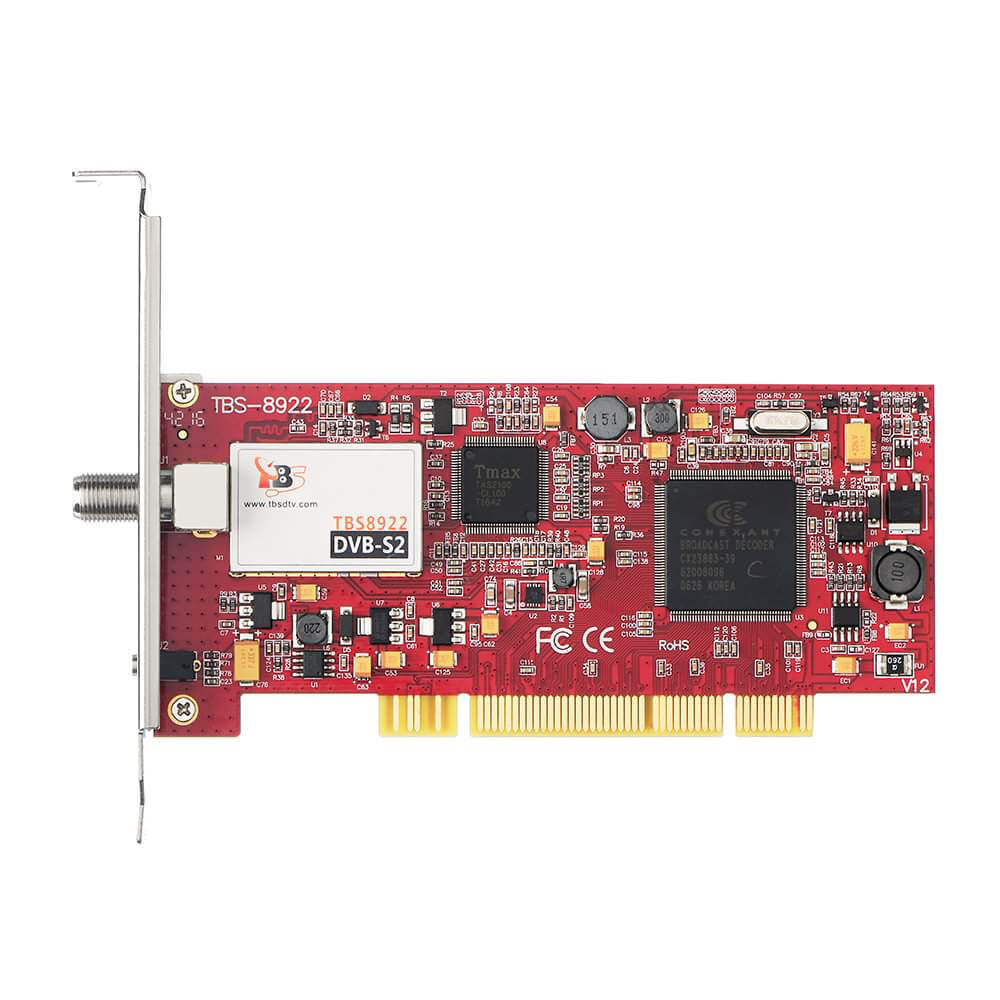
TBS8922


1. TBS8922 Windows Driver is updated to V1.0.1.5. It supports Windows XP, Vista, Windows 7 Media Center.
2. TBS8922 Linux Driver is updated to v130506, which has below updating:
* Further improve compatibility with 32-bit Linux kernels version 3.8.x and 3.9.x.
* Add module parameter "enable_ir" that allows disabling IR support for TBS cards.
3. TBS8922 Blindscan tool V3.0.3.7 is released.

TBS8922 PCI DVB-S2 TV Tuner Card (Click for downloading) +

  • Windows Driver
    TBS8922 Windows Driver V1.0.1.5.
  • Linux Driver
    TBS8922 Linux Driver v130506.
  • IP Tool
    TBS IP Tool V3.0.3.7.
  • Blind Scan
    TBS Blind Scan V3.0.1.1.

TBS6920


1. TBS6920 Windows Driver is updated to V1.0.5.1.
2. TBS6920 Linux Driver is updated to v130506, which has below updating:
* Further improve compatibility with 32-bit Linux kernels version 3.8.x and 3.9.x.
* Add module parameter "enable_ir" that allows disabling IR support for TBS cards.

TBS6920 DVB-S2 TV Tuner PCIe Card (Click for downloading) +

  • Windows Driver
    TBS6920 Windows Driver V1.0.5.1
  • Linux Driver
    TBS6920 Linux Driver v130506.
  • IP Tool
    TBS IP Tool V3.0.3.7.

TBS6921


1. TBS6921 Windows Driver is updated to V2.0.1.4.
2. TBS6921 Linux Driver is updated to v130506, which has below updating:
* Further improve compatibility with 32-bit Linux kernels version 3.8.x and 3.9.x.
* Add module parameter "enable_ir" that allows disabling IR support for TBS cards.
3. TBS6921 Blindscan tool V3.0.3.7 is released.

TBS6921 DVB-S2 TV Tuner PCIe Card (Click for downloading) +

  • Windows Driver
    TBS6921 Windows Driver V2.0.1.4.
  • Linux Driver
    TBS6921 Linux Driver v130506.
  • IP Tool
    TBS IP Tool V3.0.3.7.
  • Blind Scan
    TBS Blind Scan V3.0.1.1.

TBS6922


1. TBS6922 Windows Driver is upgraded to V1.0.1.4.
2. TBS6922 Linux Driver is updated to v130506, which has below updating:
* Further improve compatibility with 32-bit Linux kernels version 3.8.x and 3.9.x.
* Add module parameter "enable_ir" that allows disabling IR support for TBS cards.
3. TBS6922 Blindscan tool V3.0.3.7 is released.
4. TBS6922 IR software V1.0.0.8 is released, which solved the problem of some buttons can't work properly.

TBS6922 DVB-S2 TV Tuner PCIe Card (Click for downloading) +

  • Windows Driver
    TBS6922 Windows Driver V1.0.1.4.
  • Linux Driver
    TBS6922 Linux Driver v130506.
  • IP Tool
    TBS IP Tool V3.0.3.7.
  • Blind Scan
    TBS Blind Scan V3.0.1.1.
  • IR Software
    TBS IR Software V1.0.0.8.

TBS6925


1. TBS6925 Windows Driver is updated to V1.0.1.18. It supports Windows XP, Vista, Windows 7 Media Center.
2. TBS6925 Linux Driver is updated to v130506, which has below updating:
* Further improve compatibility with 32-bit Linux kernels version 3.8.x and 3.9.x.
* Add module parameter "enable_ir" that allows disabling IR support for TBS cards.
3. TBS6925 Blindscan tool V3.0.3.7 is released.
5. TBS6925 TSrecorder is updated to V3.0.0.7, which can show more information about transponder.

TBS6925 DVB-S2 Professional TV Tuner PCIe Card (Click for downloading) +

  • Windows Driver
    TBS6925 Windows Driver V1.0.1.18.
  • Linux Driver
    TBS6925 Linux Driver v130506.
  • IP Tool
    TBS IP Tool V3.0.3.7.
  • Blind Scan
    TBS Blind Scan V3.0.1.1.
  • IR Software
    TBS IR Software V1.0.0.8.
  • TS Recorder
    TBS6925 TS Recorder V3.0.0.7.

TBS6928


1. TBS6928 Windows Driver is updated to V1.0.1.6. It includes Windows XP, Vista, Windows 7 Media Center.
2. TBS6928 Linux Driver is updated to v130506, which has below updating:
* Further improve compatibility with 32-bit Linux kernels version 3.8.x and 3.9.x.
* Add module parameter "enable_ir" that allows disabling IR support for TBS cards.
3. TBS6928 Blindscan tool V3.0.3.7 is released.
4. TBS6928 IR software V1.0.0.8 is released, which solved the problem of some buttons can't work properly.
5. TBS6928 CI DLL is upgraded to V1.0.1.0
6. TBS6928 MCE CI Tool is upgraded to V1.0.0.7, which shows CAM status on main page.

TBS6928 DVB-S2 TV Tuner CI PCIe Card(Click for downloading) +

  • Windows Driver
    TBS6928 Windows Driver V1.0.1.6.
  • Linux Driver
    TBS6928 Linux Driver v130506.
  • IP Tool
    TBS IP Tool V3.0.3.7.
  • Blind Scan
    TBS Blind Scan V3.0.1.1.
  • IR Software
    TBS IR Software V1.0.0.8.
  • CI DLL
    TBS CI DLL V1.0.1.0.
  • MCE CI Tool
    TBS MCE CI Tool V1.0.0.7.

TBS6980


1. TBS6980 Windows Driver is updated to V2.0.1.1. It includs Windows XP, Vista, Windows 7 Media Center and VHID support.
2. TBS6980 Linux Driver is updated to v130506, which has below updating:
* Further improve compatibility with 32-bit Linux kernels version 3.8.x and 3.9.x.
* Add module parameter "enable_ir" that allows disabling IR support for TBS cards.

TBS6980 DVB-S2 Dual Tuner PCIe Card(Click for downloading) +

  • Windows Driver
    TBS6980 Windows Driver V2.0.1.1.
  • Linux Driver
    TBS6980 Linux Driver v130506.
  • IP Tool
    TBS IP Tool V3.0.3.7.

TBS6981


1. TBS6981 Windows 8 Driver V2.0.1.6 is released.
2. TBS6981 Windows Driver is updated to V2.0.1.6, which is supporting Unicable.
3. TBS6981 Linux Driver is updated to v130506, which has below updating:
* Further improve compatibility with 32-bit Linux kernels version 3.8.x and 3.9.x.
* Add module parameter "enable_ir" that allows disabling IR support for TBS cards.

TBS6981 DVB-S2 Dual Tuner PCIe Card(Click for downloading) +

  • Windows Driver specially for Windows 8
    TBS6981 Windows 8 Driver V2.0.1.6.
  • Windows Driver for Windows xp/visat/7
    TBS6981 Windows Driver V2.0.1.6.
  • Linux Driver
    TBS6981 Linux Driver v130506.
  • IP Tool
    TBS IP Tool V3.0.3.7.

TBS6984


1. TBS6984 Windows Driver is updated to V1.0.2.4.
2. TBS6984 Linux Driver is updated to v130506, which has below updating:
* Further improve compatibility with 32-bit Linux kernels version 3.8.x and 3.9.x.
* Add module parameter "enable_ir" that allows disabling IR support for TBS cards.
3. TBS6984 IR software V1.0.0.8 is released, which solved the problem of some buttons can't work properly.

TBS6984 Quad Tuner PCIe Card (Click for downloading) +

  • Windows Driver
    TBS6984 Windows Driver V1.0.2.4.
  • Linux Driver
    TBS6984 Linux Driver v130506.
  • IP Tool
    TBS IP Tool V3.0.3.7.
  • IR Software
    TBS IR Software V1.0.0.8.

TBS6985


1. TBS6985 Windows Driver is updated to V1.0.0.3.
2. TBS6985 Linux Driver is updated to v130506, which has below updating:
* Further improve compatibility with 32-bit Linux kernels version 3.8.x and 3.9.x.
* Add module parameter "enable_ir" that allows disabling IR support for TBS cards.
3. TBS6985 IR software V1.0.0.8 is released, which solved the problem of some buttons can't work properly.

TBS6985 Quad Tuner PCIe Card (Click for downloading) +

  • Windows Driver
    TBS6985 Windows Driver V1.0.0.3.
  • Linux Driver
    TBS6985 Linux Driver v130506.
  • IP Tool
    TBS IP Tool V3.0.3.7.
  • IR Software
    TBS IR Software V1.0.0.8.

TBS6991


1. TBS6991 Windows Driver is upgraded to V1.0.0.6.
2. TBS6991 Linux Driver is updated to v130506, which has below updating:
* Further improve compatibility with 32-bit Linux kernels version 3.8.x and 3.9.x.
* Add module parameter "enable_ir" that allows disabling IR support for TBS cards.
3. TBS6991 Blindscan tool V3.0.3.7 is released.
4. TBS6991 IR software V1.0.0.8 is released, which solved the problem of some buttons can't work properly.
5. TBS6991 CI DLL is upgraded to V1.0.1.0
6. TBS6991 MCE CI Tool is upgraded to V1.0.0.7, which shows CAM status on main page.

TBS6991 DVB-S2 Dual Tuner Dual CI PCIe Card(Click for downloading) +

  • Windows Driver
    TBS6991 Windows Driver V1.0.0.6.
  • Linux Driver
    TBS6991 Linux Driver v130506.
  • IP Tool
    TBS IP Tool V3.0.3.7.
  • Blind Scan
    TBS Blind Scan V3.0.1.1.
  • IR Software
    TBS IR Software V1.0.0.8.
  • CI DLL
    TBS CI DLL V1.0.1.0.
  • MCE CI Tool
    TBS MCE CI Tool V1.0.0.7.

TBS QBOX


1. TBS QBOX Windows Driver is updated to V1.0.3.2.
2. TBS QBOX Linux Driver is updated to v130506, which has below updating:
* Further improve compatibility with 32-bit Linux kernels version 3.8.x and 3.9.x.
* Add module parameter "enable_ir" that allows disabling IR support for TBS cards.

TBS QBOX DVB-S TV Tuner USB (Click for downloading) +

  • Windows Driver
    TBS QBOX Windows Driver V1.0.3.2.
  • Linux Driver
    TBS QBOX Linux Driver v130506.
  • IP Tool
    TBS IP Tool V3.0.3.7.

TBS QBOX 2


1. TBS QBOX 2 Windows Driver is updated to V2.0.4.7. It supports Windows XP, Vista, Windows 7 Media Center.
2. TBS QBOX 2 Linux Driver is updated to v130506, which has below updating:
* Further improve compatibility with 32-bit Linux kernels version 3.8.x and 3.9.x.
* Add module parameter "enable_ir" that allows disabling IR support for TBS cards.

TBS QBOX 2 DVB-S2 TV Tuner USB (Click for downloading) +

  • Windows Driver
    TBS QBOX 2 Windows Driver V2.0.4.7.
  • Linux Driver
    TBS QBOX 2 Linux Driver v130506.
  • IP Tool
    TBS IP Tool V3.0.3.7.

TBS5921


1. TBS5921 Windows Driver is updated to V1.0.0.8. It supports Windows XP, Vista, Windows 7 Media Center.
2. TBS5921 Linux Driver is updated to v130506, which has below updating:
* Further improve compatibility with 32-bit Linux kernels version 3.8.x and 3.9.x.
* Add module parameter "enable_ir" that allows disabling IR support for TBS cards.
3. TBS5921 Blindscan tool V3.0.3.7 is released.

TBS5921 QBOX3 DVB-S2 TV Tuner USB (Click for downloading) +

  • Windows Driver
    TBS5921 Windows Driver V1.0.0.8.
  • Linux Driver
    TBS5921 Linux Driver v130506.
  • IP Tool
    TBS IP Tool V3.0.3.7.
  • Blind Scan
    TBS Blind Scan V3.0.1.1.

TBS5922


1. TBS5922 Windows Driver is updated to V2.0.3.1. It supports Windows XP, Vista, Windows 7 Media Center.
2. TBS5922 Linux Driver is updated to v130506, which has below updating:
* Further improve compatibility with 32-bit Linux kernels version 3.8.x and 3.9.x.
* Add module parameter "enable_ir" that allows disabling IR support for TBS cards.
3. TBS5922 Blindscan tool V3.0.3.7 is released.

TBS5922 DVB-S2 TV Tuner USB (Click for downloading) +

  • Windows Driver
    TBS5922 Windows Driver V2.0.3.1.
  • Linux Driver
    TBS5922 Linux Driver v130506.
  • IP Tool
    TBS IP Tool V3.0.3.7.
  • Blind Scan
    TBS Blind Scan V3.0.1.1.

TBS5925


1. TBS5925 Windows Driver is updated to V1.0.1.7. which fixes the BSOD problem when the TBS5925 is disconnected.
2. TBS5925 Linux Driver is updated to v130506, which has below updating:
* Further improve compatibility with 32-bit Linux kernels version 3.8.x and 3.9.x.
* Add module parameter "enable_ir" that allows disabling IR support for TBS cards.
3. TBS5925 Blindscan tool V3.0.3.7 is released.
4. TBS5925 IR software V1.0.0.8 is released, which solved the problem of some buttons can't work properly.
5. TBS5925 TSrecorder is updated to V3.0.0.7, which can show more information about transponder.

TBS5925 DVB-S2 TV Tuner USB(Click for downloading) +

  • Windows Driver
    TBS5925 Windows Driver V1.0.1.7.
  • Linux Driver
    TBS5925 Linux Driver v130506.
  • IP Tool
    TBS IP Tool V3.0.3.7.
  • Blind Scan
    TBS Blind Scan V3.0.1.1.
  • TS Recorder
    TBS5925 TS Recorder V3.0.0.7.

TBS5980


1. TBS5980 Windows Driver is updated to V1.0.2.7. It includes Windows XP, Vista, Windows 7 Media Center.
2. TBS5980 Linux Driver is updated to v130506, which has below updating:
* Further improve compatibility with 32-bit Linux kernels version 3.8.x and 3.9.x.
* Add module parameter "enable_ir" that allows disabling IR support for TBS cards.
3. TBS5980 Blindscan tool tbs-blindscan_V3.0.1.1 is released.
4. TBS5980 CI DLL is upgraded to V1.0.1.0
5. TBS5980 MCE CI Tool is upgraded to V1.0.0.7, which hows CAM status on main page.

TBS5980 QBOX CI DVB-S2 TV Tuner USB(Click for downloading) +

  • Windows Driver
    TBS5980 Windows Driver V1.0.2.7.
  • Linux Driver
    TBS5980 Linux Driver v130506.
  • IP Tool
    TBS IP Tool V3.0.3.7.
  • Blind Scan
    TBS Blind Scan V3.0.1.1.
  • CI DLL
    TBS CI DLL V1.0.1.0.
  • MCE CI Tool
    TBS MCE CI Tool V1.0.0.7.
  • Manual
    TBS5980 CI Box user manual.

TBS6618


1. TBS6618 Windows Driver is updated to V1.0.0.3. It includes Windows XP, Vista, Windows 7 Media Center.
2. TBS6618 Linux Driver is updated to v130506, which has below updating:
* Further improve compatibility with 32-bit Linux kernels version 3.8.x and 3.9.x.
* Add module parameter "enable_ir" that allows disabling IR support for TBS cards.
3. TBS6618 (Virtual DVBT) driver and (Virtual DVBT) CI Tool are released, which makes it possible to watch Encrypted DVB-C programes on Windows Media Center.

TBS6618 DVB-C TV Tuner CI PCIe Card (Click for downloading) +

  • Windows Driver
    TBS6618 Windows Driver V1.0.0.3.
  • Linux Driver
    TBS6618 Linux Driver v130506.
  • (Virtual DVBT) Driver
    TBS6618 DVBC(Virtual DVBT) driver for Windows Media Center
  • (Virtual DVBT) MCE CI Tool
    TBS6618 DVBC(Virtual DVBT) TBS CI Tool for Windows Media Center

TBS6680


1. TBS6680 Windows Driver is updated to V1.0.0.0. It includes Windows XP, Vista, Windows 7 Media Center.
2. TBS6680 Linux Driver is updated to v130506, which has below updating:
* Further improve compatibility with 32-bit Linux kernels version 3.8.x and 3.9.x.
* Add module parameter "enable_ir" that allows disabling IR support for TBS cards.
3. TBS6680 (Virtual DVBT) driver and (Virtual DVBT) CI Tool are released, which makes it possible to watch Encrypted DVB-C programs on Windows Media Center.

TBS6680 DVB-C TV Tuner CI PCIe Card (Click for downloading) +

  • Windows Driver
    TBS6680 Windows Driver V1.0.0.0.
  • Linux Driver
    TBS6680 Linux Driver v130506.
  • (Virtual DVBT) Driver
    TBS6680 DVBC(Virtual DVBT) driver for Windows Media Center
  • (Virtual DVBT) MCE CI Tool
    TBS6680 DVBC(Virtual DVBT) TBS CI Tool for Windows Media Center

TBS5680


1. TBS5680 Windows Driver is upgraded to V1.0.0.3. which has below updating:
> Fixed the bug that Multi-TBS5680 device can not work simultaneous.
> Fixed WMC remote control problem.
2. TBS5680 Linux Driver is updated to v130506, which has below updating:
* Further improve compatibility with 32-bit Linux kernels version 3.8.x and 3.9.x.
* Add module parameter "enable_ir" that allows disabling IR support for TBS cards.

TBS5680 DVB-C USB TV Tuner CI BOX (Click for downloading) +

  • Windows Driver
    TBS5680 Windows Driver V1.0.0.3.
  • Linux Driver
    TBS5680 Linux Driver v130506.

TBS DVB-C USB Stick


1. TBS USB DVB-C stick driver is updated to v2.0.0.3.
2. TBS Linux Driver is updated to v130506, which has below updating:
* Further improve compatibility with 32-bit Linux kernels version 3.8.x and 3.9.x.
* Add module parameter "enable_ir" that allows disabling IR support for TBS cards.

TBS DVB-C USB TV Stick (Click for downloading) +

  • Windows Driver
    TBS USB DVB-C stick Windows Driver V2.0.0.3.
  • Linux Driver
    TBS DVB-C USB Stick Linux Driver v130506.

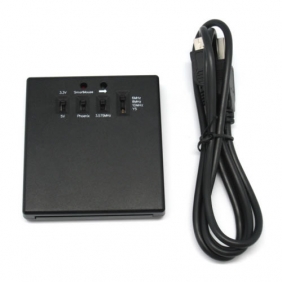
TBS3102


TBS3102 5-Crystal Phoenix Card Reader Windows Driver.

TBS3102 5-Crystal Phoenix Card Reader (Click for downloading) +

  • Windows Driver
    TBS3102 Windows Driver.

TBS SDK


TBS DTV-SDK is updated to V2.0.0.2.

TBS DTV SDK (Click for downloading) +

  • TBS SDK
    TBS DTV-SDK V2.0.0.2.

TBSviewer


TBSViewer is an OEM version of DVBViewer. TBSviewer is updated to v20121130.

TBSviewer (Click for downloading) +

  • TBSviewer
    TBSviewer V20121130.

DVBLogic ( DVBLinkTVSourceTBS )


1. TBS reached agreement with DVBlogic. TBS TV tuner card user will receive a 10% discount from the usual price when buying DVBlogic.
2. DVBLogic updates the DVBLinkTVSource to version V3.2.2. This version adds support for TBS5921, TBS5980,TBS6921,TBS8921,TBS6925 and TBS6984.

DVBLogic (Click for downloading) +

  • DVBLogic
    DVBLogic V3.2.2.

DVBDream


DVBDream is updated to V22d, which adds support DVB-T2 Multi PLP for TBS cards. It will require the latest DVBT/T2 Driver to support.

DVBDream (Click for downloading) +

  • DVBDream
    DVBDream ( DVBDream V22d )

ProgDVB


ProgDVB releases a TBS OEM version v6.93.2.

ProgDVB (Click for downloading) +

  • ProgDVB
    ProgDVB V6.93.2.

TSReaderSources


TSReaderSources DLL is updated to V1.0.8.5, which adds command-line support and TBS new card support.

TSReaderSources (Click for downloading) +

  • TSReaderSources
    TSReaderSources V1.0.8.5.

TBS StreamReader DLL


TBS StreamReader DLL is upgrated to V1.0.0.2.

TBS StreamReader DLL (Click for downloading) +

  • TBS StreamReader DLL
    TBS StreamReader DLL V1.0.0.2.

Windows Server 2008 R2 BDA patches


BDA patches for installing TBS TV Tuners on Windows Server 2008 R2.

Windows Server 2008 R2 BDA patches (Click for downloading) +

  • Windows Server 2008 R2 BDA patches
    Win2008_bda.

TBS Devices Manual


TBS Devices Manual V3.3.

TBS Devices Manual (Click for downloading) +

  • TBS QIG
    TBS Devices Manual V3.3.

T-Pad 7" Android Pad


1. T-PAD firmware for updating.
2. Tool and key for updating T-PAD firmware.
3. Video about how to update the T-PAD firmware.

T-PAD updating document (Click for downloading) +

  • Firmware
    Firmware for T-PAD.
  • Tool and Key
    Updating tool and key for T-PAD.
  • Updating Video
    Updating video.
Top Catalogue
DVB-S2 TV Tuner PCIe
DVB-S2 TV Tuner USB
DVB-C TV Tuner PCIe
DVB S2 TV Tuner PCI
Our Support
About Us
FAQ Center
Technology Forum
Contact Our Team

Copyright © TBS Technologies 2005-2012 All Rights Reserved.

Home | Contact us | About us | Distributors | Site Map